Documentation Index

Fetch the complete documentation index at: https://ilovecoffee.compute.exchange/docs/llms.txt

Use this file to discover all available pages before exploring further.

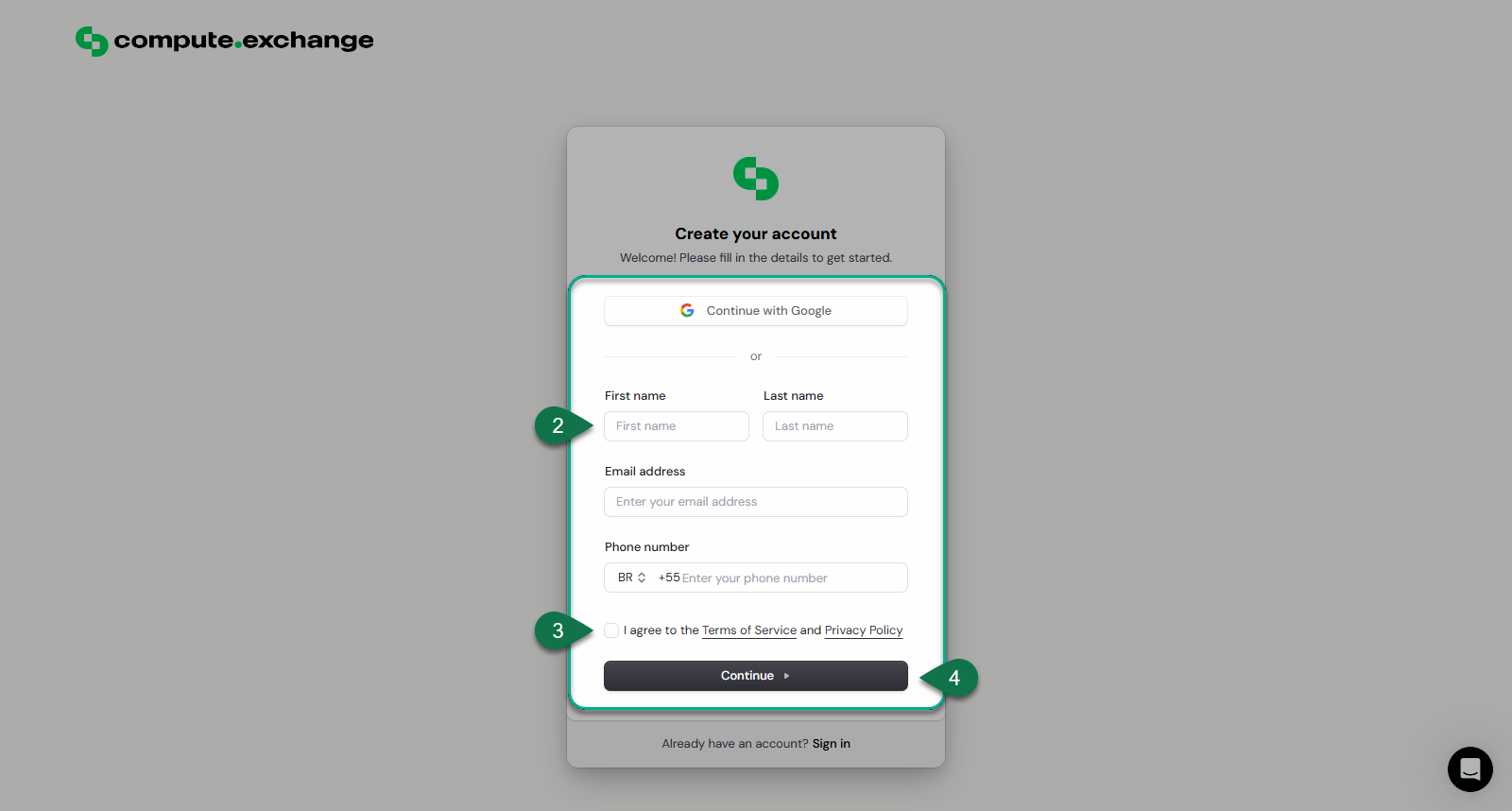
You can sign up for Compute Exchange using email or OAuth via Clerk on the Compute Exchange Sign Up page. The following section describes the signup process in more detail.
Two-Factor Authentication (2FA) is required for enhanced security.

Signup Process

To sign up to compute exchange, follow the steps below:
  1. Navigate to the Sign Up Page.
  2. Choose either to Continue with your Google Account
  3. Or you can fill in your details manually:
    • First Name
    • Last Name
    • Email Address
    • Phone Number
  4. Accept the Terms of Service and Privacy Policy.
    All Users must adhere to our Terms and Privacy Policy
  5. Click Continue to complete the sign-up process.