> ## Documentation Index
> Fetch the complete documentation index at: https://ilovecoffee.compute.exchange/docs/llms.txt
> Use this file to discover all available pages before exploring further.
# Authentication
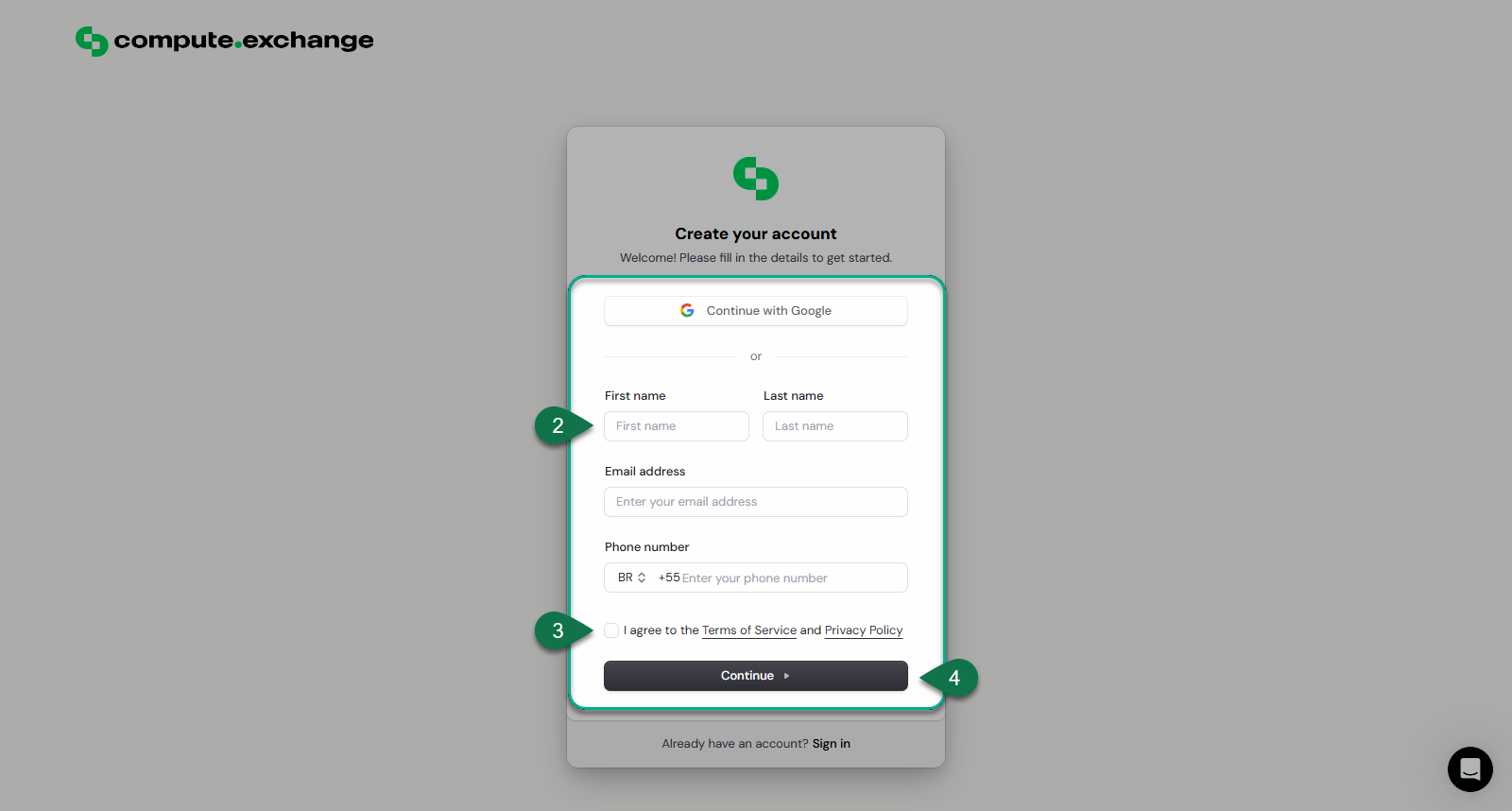
You can sign up for Compute Exchange using email or OAuth via Clerk on the [Compute Exchange Sign Up page](https://app.compute.exchange/sign-up).
The following section describes the signup process in more detail.
Two-Factor Authentication (2FA) is required for enhanced security.
## Signup Process
To sign up to compute exchange, follow the steps below:
1. Navigate to the [Sign Up Page](https://app.compute.exchange/sign-up).
2. Choose either to **Continue with your Google Account**
3. Or you can fill in your details manually:
* First Name
* Last Name
* Email Address
* Phone Number
4. Accept the Terms of Service and Privacy Policy.
All Users must adhere to our Terms and Privacy Policy
5. Click **Continue** to complete the sign-up process.