> ## Documentation Index
> Fetch the complete documentation index at: https://ilovecoffee.compute.exchange/docs/llms.txt
> Use this file to discover all available pages before exploring further.
# Updating a Bid price
You can update the price for your active bids in the **Orders Dashboard**. Follow the steps below to do so:
1. Head over to the **Orders Dashboard**.
2. On the active bid, click **Manage**.
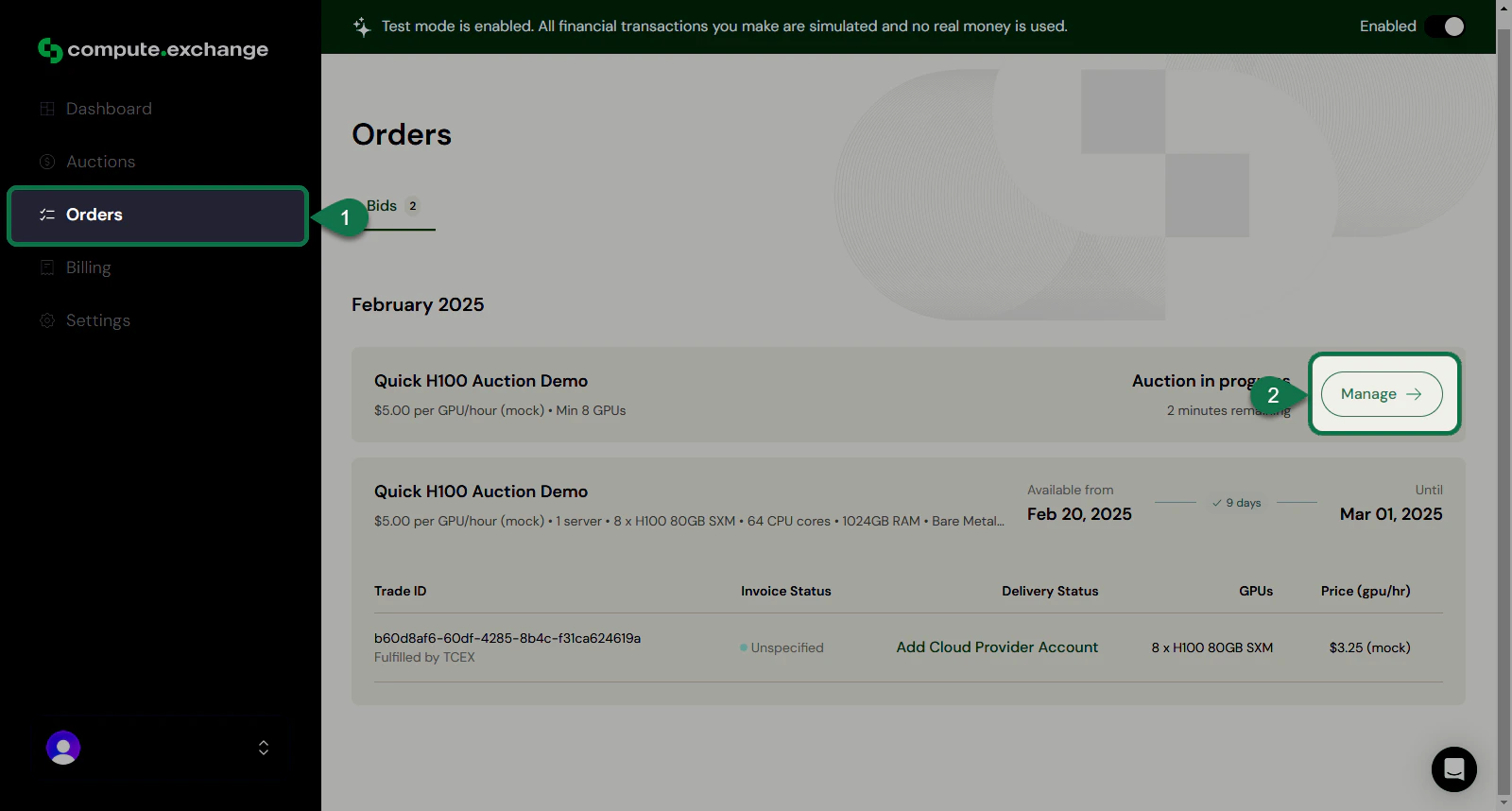 You will be directed to the **Auction Details** page.
3. Insert your new price on the **Price** field.
4. Click **Update Bidding Price**.
You will be directed to the **Auction Details** page.
3. Insert your new price on the **Price** field.
4. Click **Update Bidding Price**.
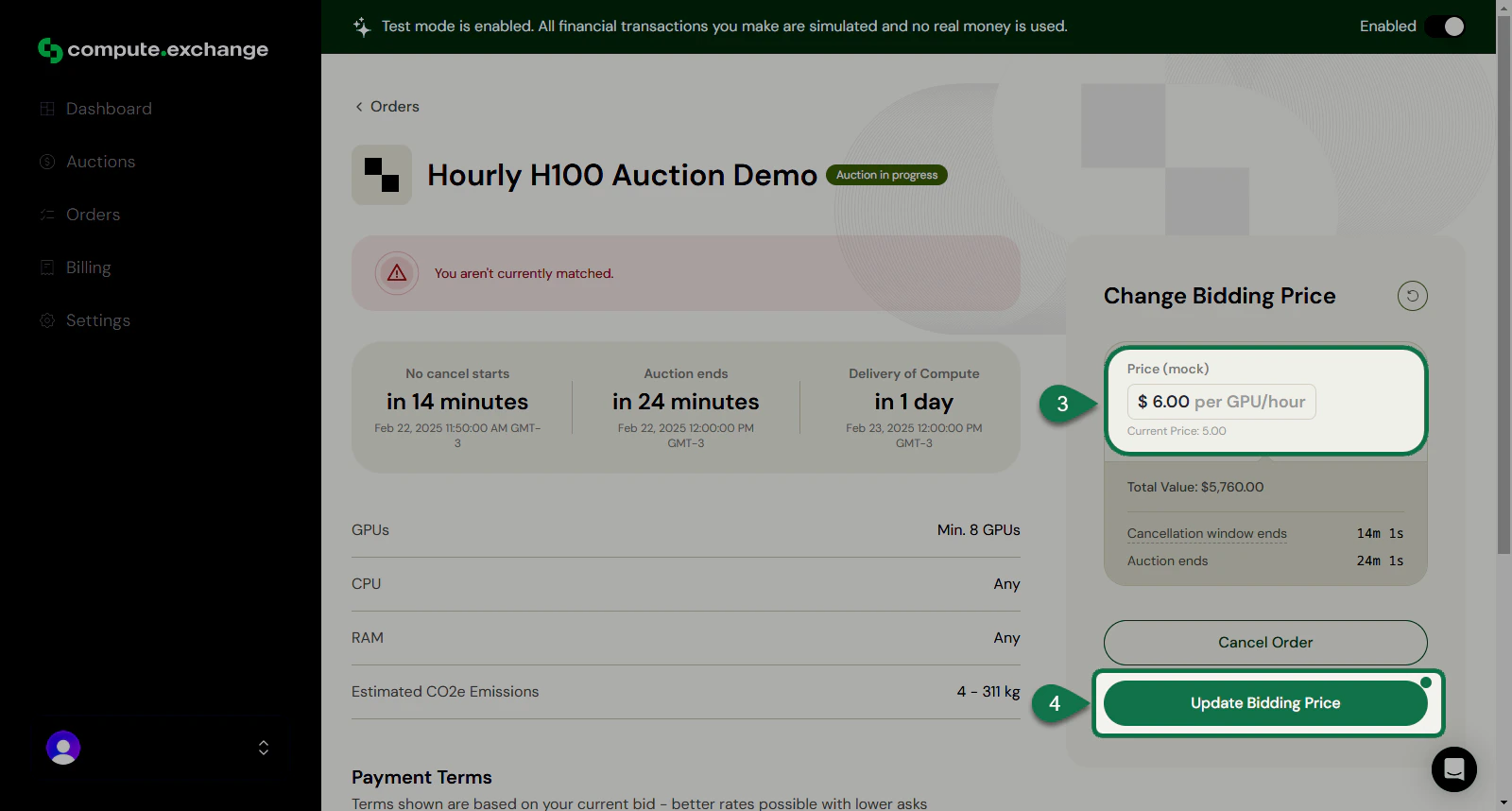 A notification will pop-out confirming the update of the bid.
Increasing the bid price will require an additional charge. See [Bidding Price Update Authorization](../getting-started/payment.mdx#bidding-price-update-authorization) for more details.
A notification will pop-out confirming the update of the bid.
Increasing the bid price will require an additional charge. See [Bidding Price Update Authorization](../getting-started/payment.mdx#bidding-price-update-authorization) for more details.